Generic SQL Table Data Editor UX Template
Description
The GenericSQLDataTableEditor template creates a UX component that lets you browse and edit data in any SQL table using the Spreadsheet control.
Discussion
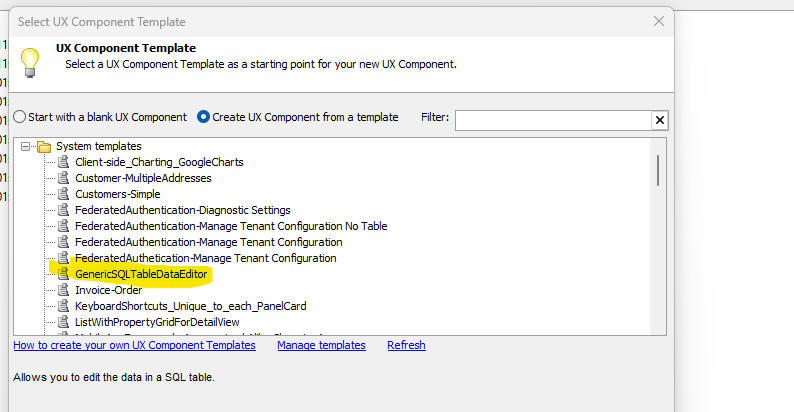
A new UX Component template, GenericSQLDataTableEditor, is available when you create a new UX component. The template displays a list of connection strings in a dropdown box.
When the user selects a connection string, a list of tables in the selected database is shown. When the user selects a table, the Spreadsheet control is populated with data from that table and the user can perform CRUD actions (create, read, update, delete) on the table.
This template is useful as a generic SQL data editor for quickly inspecting and editing data in any table for which you have a connection string.
Using the Generic SQL Table Data Editor template
To use the GenericSQLDataTableEditor template:
- Create a new UX component.
- Select the GenericSQLDataTableEditor template from the list of available templates.
- Save and run the component. Select a connection string from the dropdown to see the list of tables in the database.
- Select a table. The Spreadsheet control is populated with data from the selected table and you can perform CRUD operations on the table data.
See Also